
Insights · SEO
Why every BNI member should add their website to BNI Connect
Your website is ready, but can Google see it? A 2-minute step on your BNI Connect profile gives your business a trusted link and real visitors.
Ahmed Ashraf · · 2 min read
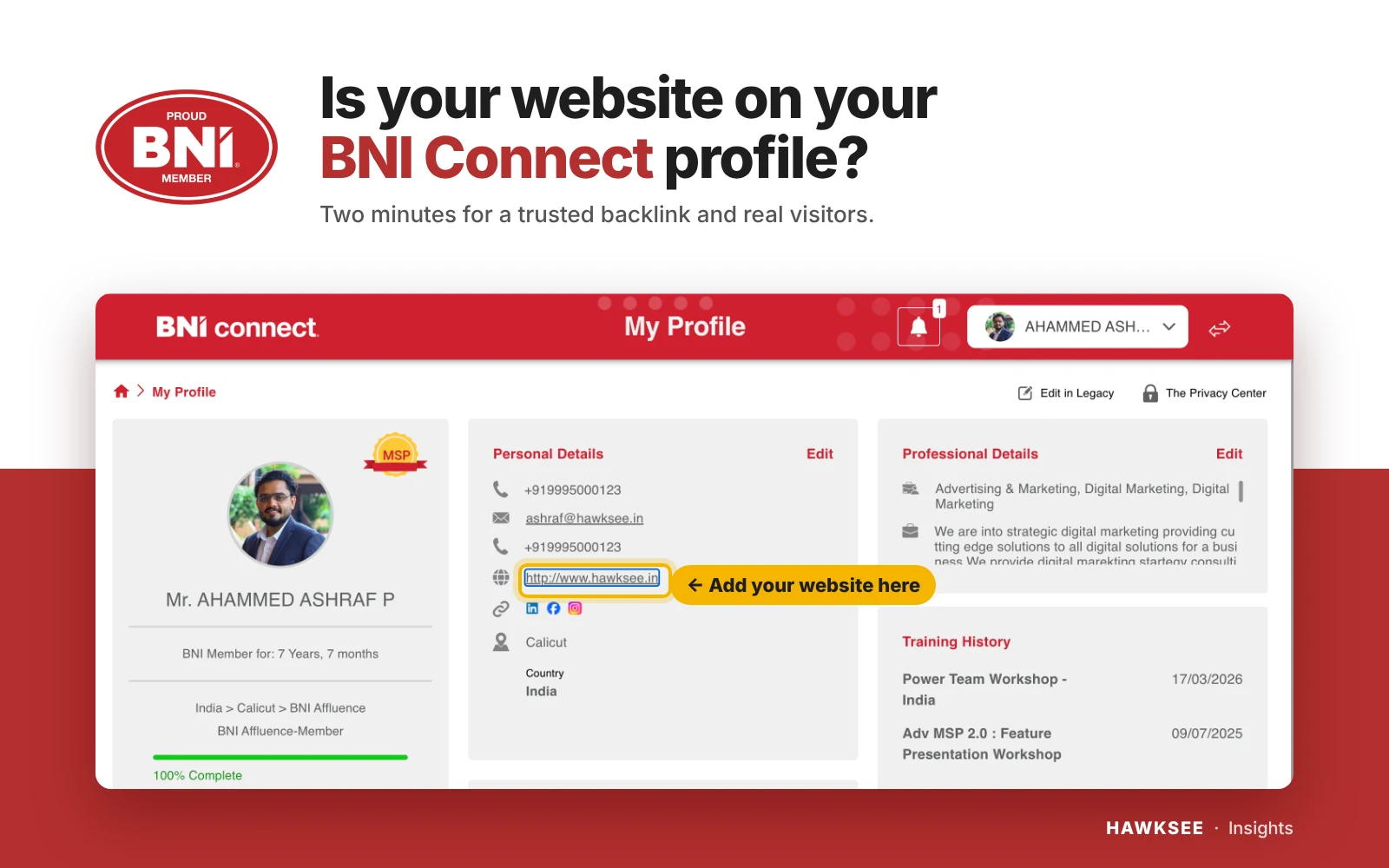
Your website is ready. But can Google see it?
Most of us in BNI already have a website for our business. We paid for it, we are proud of it, and we share it with our clients.
I have been a BNI member for 7 years and 7 months, and a marketing consultant for over 10 years. In all that time, I keep seeing the same small miss: good members, with good websites, that nobody can find.
But here is the simple truth: there are billions of web pages on the internet. A website on its own is like a beautiful shop on a street nobody walks down. Google does not show it just because it exists.
What makes a website visible?
Google trusts a website more when other trusted websites point to it. These links are called backlinks, and each one works like a recommendation.
We already know this idea well. It is exactly how BNI works every week: a good word from a trusted person opens doors.
BNI already gives us that recommendation
BNI is the world’s largest referral networking organisation, a global name that people and search engines know well. Every one of us has a profile on BNI Connect, and it has a place for our website.
When your website is listed there, your business stands next to a name that is already trusted.
As a marketing consultant, I know how hard a strong backlink is to earn. Businesses spend months, and real money, chasing links from trusted names. BNI gives one to every member. It takes two minutes.
It also brings real visitors
Members look at your profile before a 1-to-1, or before passing your name to a client. With your website there, they can see your work in one tap and share it with the person they are referring.
Do it today, in 2 minutes
If you have a website and it is not on your BNI Connect profile, you are leaving a free recommendation unused, every single week.
- Open BNI Connect and go to My Profile.
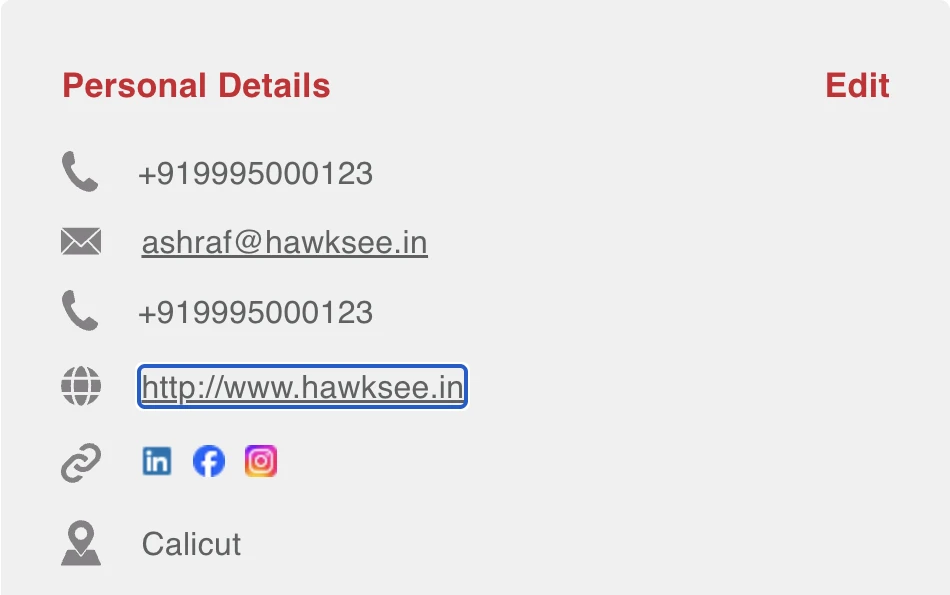
- Under Personal Details, tap Edit.
- Add your website, starting with https://
- Add your LinkedIn, Facebook and Instagram links too.
- Save, then tap the link once to check it opens.
Givers Gain, online too
BNI has given us a trusted platform. Let us make full use of it, so that our businesses are found not only in the room, but online too.
Please share this with your chapter, so no member misses this simple opportunity.
Ahmed Ashraf | BNI member for 7 years, 7 months, BNI Affluence, Calicut | Marketing consultant and founder, HAWKSEE Digital Solutions
Questions about your website? Happy to help any BNI member: ashraf@hawksee.in. Want Google to find your business? See how our SEO service works.